Page 1 of 2
Set Speed Warning to off as default
Posted: Fri Jul 12, 2024 9:40 pm
by DamoMc
Hi,
Does anyone have a fix for setting the speed warning to off as a default position..2024 R Line?
I know it's possible to set the Lane Assist to On,Off or Memory through OBD11 but haven't found the same option for the speed warning.
It's possible to turn it off via the infotainment screen but it comes back on every ignition cycle
Re: Set Speed Warning to off as default
Posted: Sun Jul 14, 2024 6:40 am
by Maarten
What do you mean with speedwarning?
Re: Set Speed Warning to off as default
Posted: Sun Jul 14, 2024 1:28 pm
by DamoMc
This setting..in the driver assistant menu.
I'd like to know if there's a one click app or adaptation to set to off as a default.
There's a one click app to set Lane Assist to off as default
Re: Set Speed Warning to off as default
Posted: Sun Jul 14, 2024 1:32 pm
by DamoMc
Or also to set the warning to visual only..its the audible warning that's driving me mad

Re: Set Speed Warning to off as default
Posted: Sun Jul 14, 2024 10:02 pm
by Maarten
Just de-check active
Will check my infotainment tomorrow.
Cant remember if I have this box checked or not
Re: Set Speed Warning to off as default
Posted: Sun Jul 14, 2024 10:06 pm
by Maarten
Did you click the speedsign to get here?
Re: Set Speed Warning to off as default
Posted: Sun Jul 14, 2024 10:41 pm
by DamoMc
De checking active does work but unfortunately it becomes active the next time the car is started

Re: Set Speed Warning to off as default
Posted: Mon Jul 15, 2024 9:45 am
by Maarten
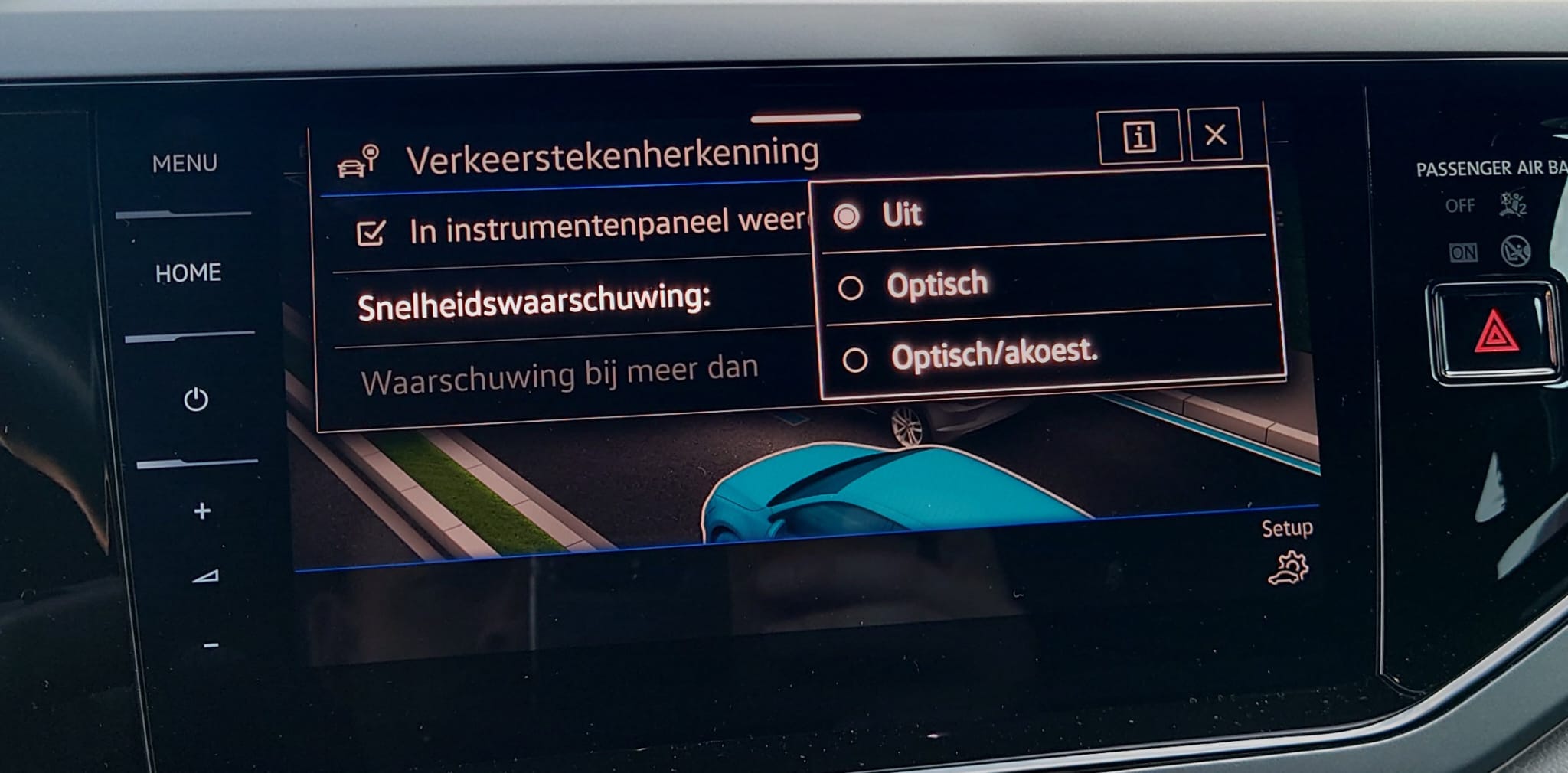
Set the warning to off
Options should be
Off
Optical
Optical and Audible
- Speed warning.jpg (150.02 KiB) Viewed 13868 times
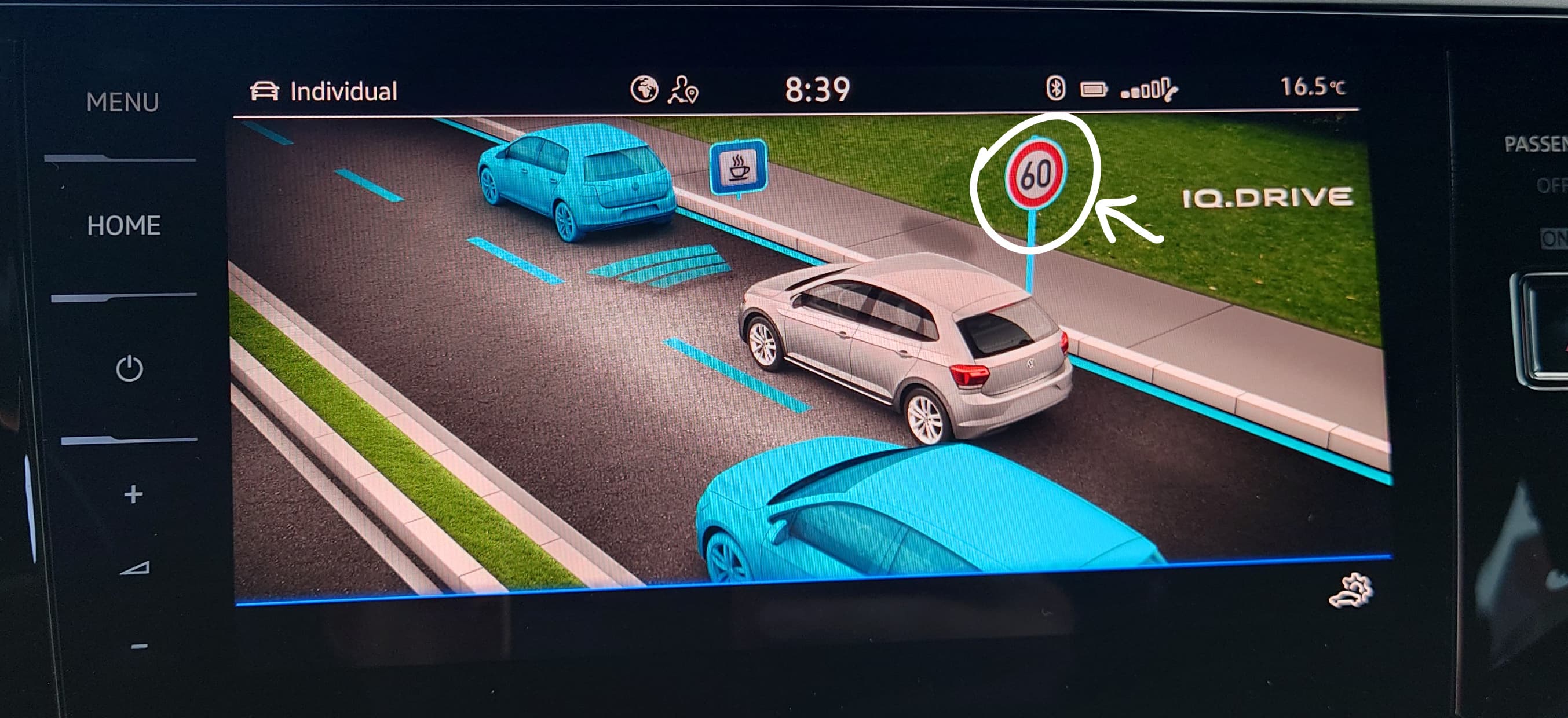
You checked this speed sign right?
- IQ Drive.jpg (311.75 KiB) Viewed 13868 times
Re: Set Speed Warning to off as default
Posted: Mon Jul 15, 2024 12:46 pm
by DamoMc
No off option available on mine,only these 2:
Visual
Visual/audible
So I guess yours was coded with the off option
Re: Set Speed Warning to off as default
Posted: Mon Jul 15, 2024 12:48 pm
by DamoMc
Sign de checked also
Re: Set Speed Warning to off as default
Posted: Mon Jul 15, 2024 1:25 pm
by Maarten
You should not have to de-select the speed sign, it also displays the speed limits for the road you're on.
Maybe I did not formulate my question right, to get to the speed warning menu you pressed the speed sign?
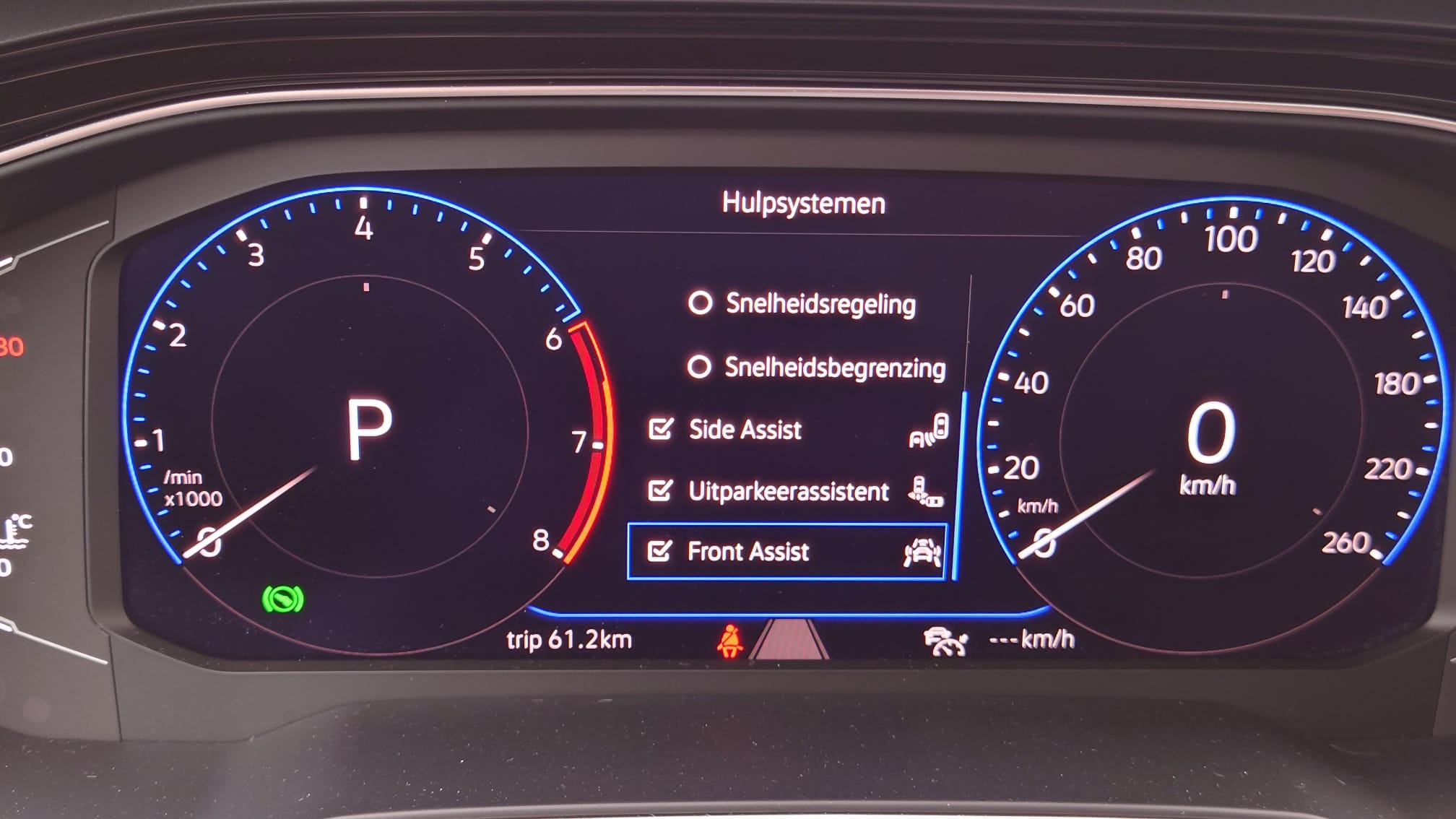
Do you use the ACC? Or the speed limiter?
The options behind the steering wheel.
The one above the side assist, in your case the one above the front assist should not be checked because you do not have side assist and rear traffic assist (uitparkeerassistent)
Speed limiter (snelheidsbegrenzing) should be de-selected
- ACC, Snelheidsregeling en Snelheidsbegrenzer.jpg (172.77 KiB) Viewed 13815 times
Re: Set Speed Warning to off as default
Posted: Mon Jul 15, 2024 4:07 pm
by DamoMc
These are the options on the screen behind the steering wheel.Unchecking Speed Warning turns it off but only until the next time the car is started when it must be unchecked again.
I don't have the option to turn it off like yours:
Off
Visual
Audible
I only have:
Visual
Visual/Audible
Re: Set Speed Warning to off as default
Posted: Mon Jul 15, 2024 7:15 pm
by Maarten
Must be the new tacho standards
My car is from 2022, maybe that's why.
My lane assist icon comes up from 60km/u or with Travel Assist on.
Yours is visable when stationairy.
Try finding this setting in VCDS or OBD11.
Then remember last setting.
Could fix your issue
Re: Set Speed Warning to off as default
Posted: Mon Jul 15, 2024 8:00 pm
by DamoMc
That's the next step

thanks for your patience and advice,much appreciated


Re: Set Speed Warning to off as default
Posted: Tue Jul 16, 2024 6:55 am
by Maarten
No problem, glad to help.
When you solve this, please post here.
Could be helpfull in the future for others


 thanks for your patience and advice,much appreciated
