
I was really reluctant of doing this first time, done it about 5 times since with no problems!!!!
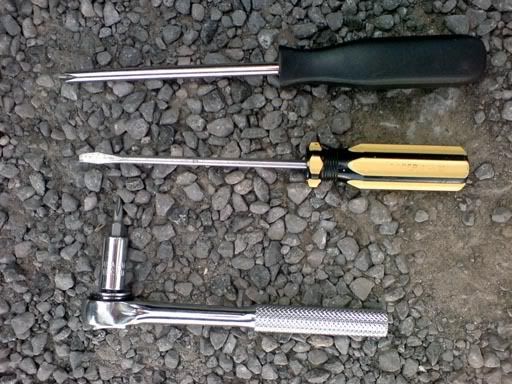
its really simple, you just need 3 tools
flat screwdriver, crosshead screwdriver, and stubby crosshead screwdriver
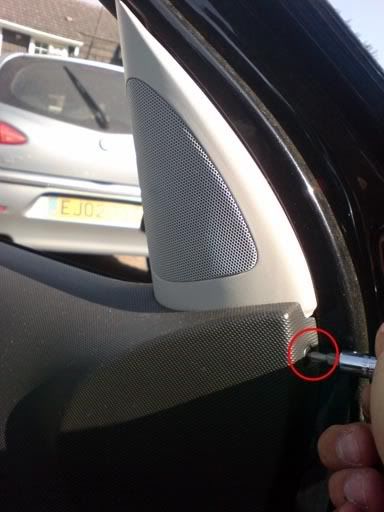
first grab the stubby driver and unscrew the the crosshead located underneath the tweeter casing, (this is the only thing you need the stubby driver for!)
you then need to grab the flat head and with one hand, pull the door handle slightly, and the other poke behind the grab handle insert to pop it out, like so;
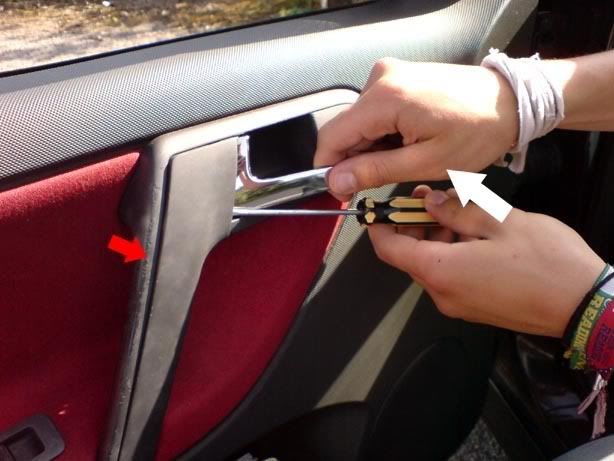
(red arrow indicates direction of grab handle insert popping, white arrow indicates direction of screwdriver to obtain the pop!)
there's 3 clips holding the insert in, (you have to wiggle the bottom) to get it out, it should now look like this
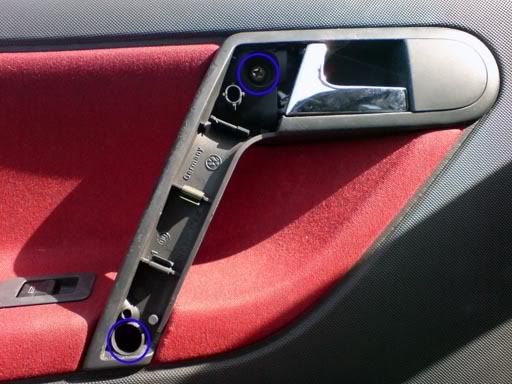
unscrew the crossheads circled blue here.
the doorcards now ready to come off!
there's 'pop' clips all around the edge of the doorcard which you need to pop out, don't be afraid to give it some muscle, easiest place to start from I found was the bottom left of the door;
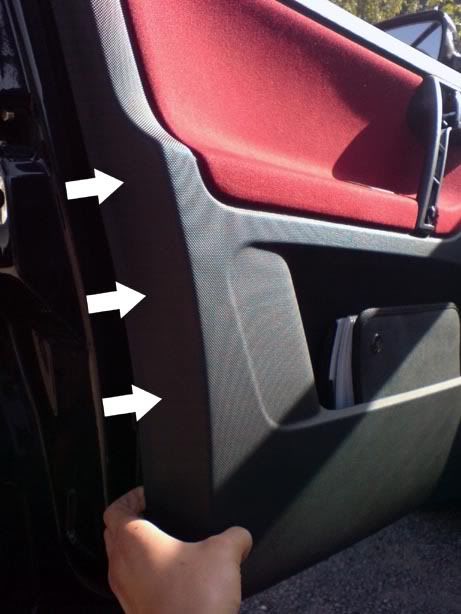
pop the clips all the way around the door until it is just held by the doorpin and handle (it'll still stay put on it's own here), gently lift the corner of the doorcard over the doorpin;
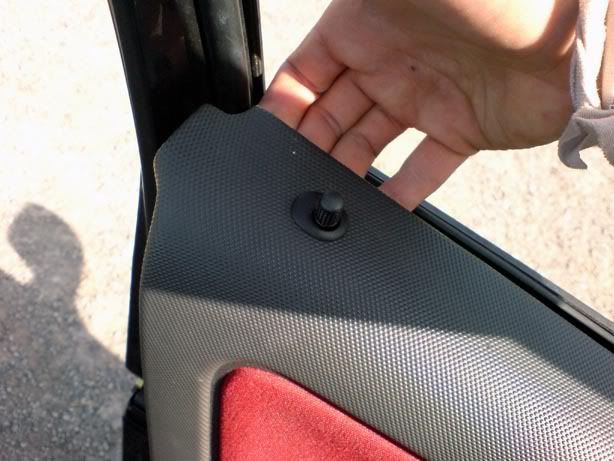
When the doorpin's clear all that's left is the chrome handle.
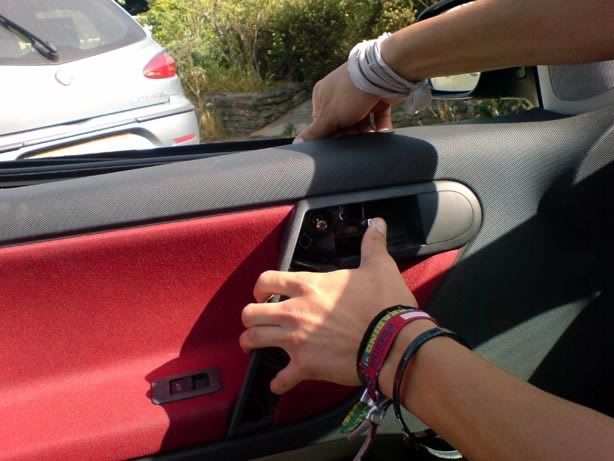
Pull the handle open, and with one thumb push it, with the other hand pull the doorcard off, the handle should gently slide through the hole. Make sure you keep hold of the doorcard!
looking down between the door and the doorcard you can see the wire and connector for the window switch,
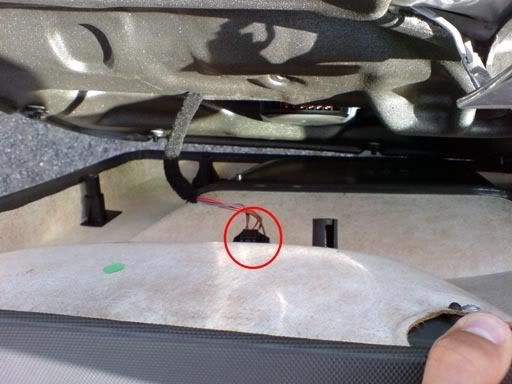
make sure you unclip this BEFORE pulling the doorcard away. (on the driver's side there are 5 connectors, both window switches, central locking, the mirror switch and the alarm LED, they all come apart with a little playing)
and it's off!! you can now do whatever you were planning on doing, (if changing the grab handles, read on!),
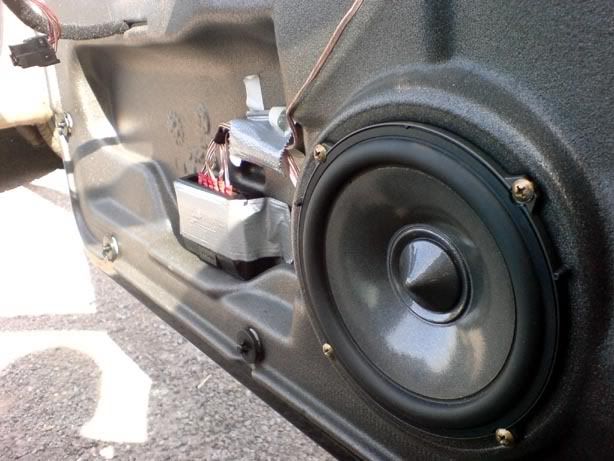
sorry this is the only pic i got of the actual door,
take the doorcard aside and turn it around, there's 5 screw to undo (circled red)
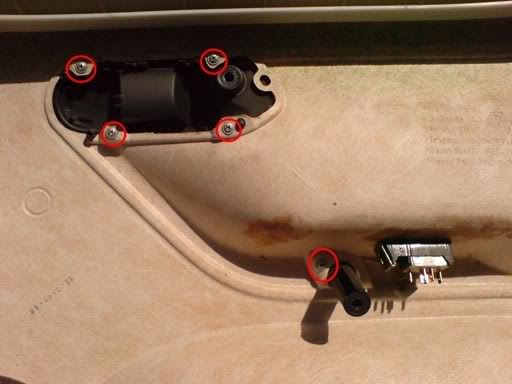
front of the card should look like this
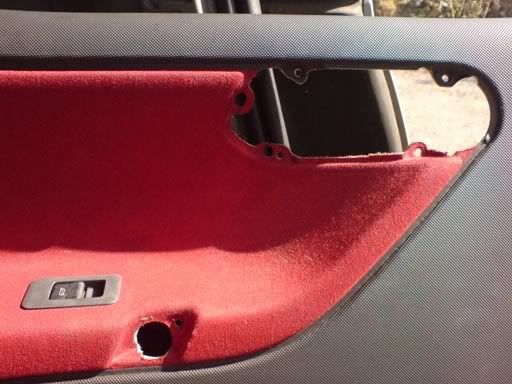
take this opportunity to give it a quick clean, mine was well dirty in the corners!
(unless you bought a new on) Make sure you unclip the cover on the old handle, it's the cover (that on the driver's side) is for altering the mirrors,
pushing one clip with your thumb releases all the others
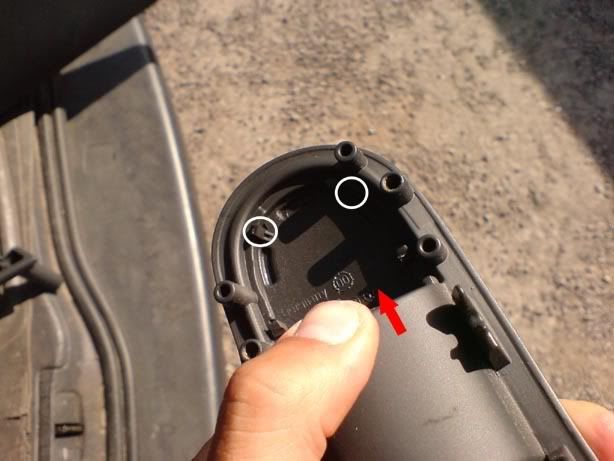
put the new grab handle on (using the 5 screws on the back),
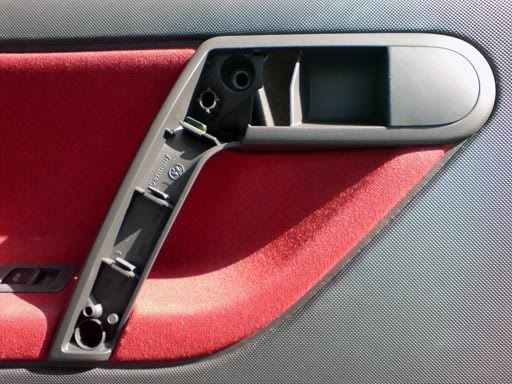
Now reverse the process. When putting the doorcard on, first connect up all the wires to the switches, then pop the doorpin back through the hole, open the door handle and feed it through, it's then ready to 'pop' all the pop clips back in place.
when everythings screwed back together sit back and admire!!
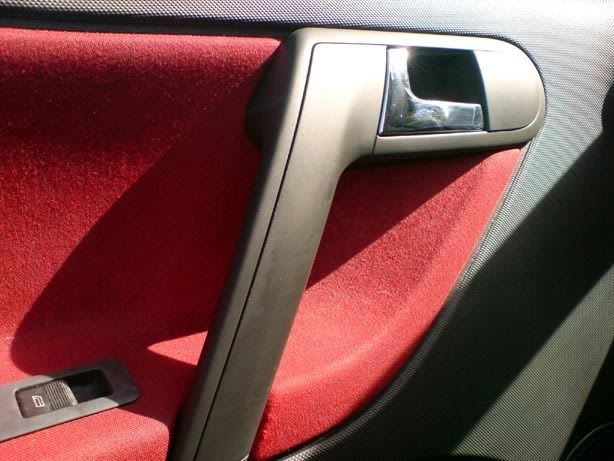
hope all is clear

 its best to remove the door pin....makes life that little bit easier!


