Ad blocker detected: Our website is made possible by displaying online advertisements to our visitors. Please consider supporting us by disabling your ad blocker on our website.
Wet your finger with distilled water and remove the dirt.
- Never dry the surface of the gel pad with a cloth. Use a hair dryer with cold air.❄ (...ambient temp)
- The cleaning finger should ALWAYS have a small layer of distilled water when cleaning the surface.
If you follow these two previous instructions exactly, the cleaning will be perfect and without damage to the Sensor.
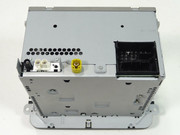
3. Multi-pin connector 2, 8-pin, for voltage supply lines and CAN bus
12 – Voltage supply, negative, terminal 31
15 – Voltage supply, positive, terminal 30
16 – Anti-theft coding control signal, SAFE, positive -> connect this one to 12V as well
But there is a chance that the device (MIB radio) has the new quadlock, so different pin assignment.
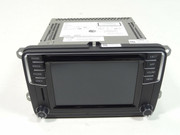
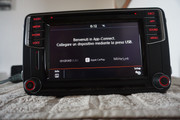
Hi guys, a future great add today for my little car. From Germany a new Composition Media from a WV Beetle.
It's the last version of CM with both APP buttom and DAB. Part number is 5K703520K.
CM is cheaper compared to a Discovery Media but It has all functions I was looking for.. and even more.
Moreover I think smartphone connectivity perfectly make up for the lack the function of DM extra-funcions.
I tried to list all vesion of CM after long time of searching.
5K7035200			HW H05			NO DAB		MUTE BUTTON
5K7035200A			HW H04 or 05		DAB		MUTE BUTTON
5K7035200B			HW H20			NO DAB		MUTE BUTTON
5K7035200D			HW H20			NO DAB		MUTE BUTTON
5K7035200E			HW H20 or H22		NO DAB or DAB 	MUTE BUTTON
5K7035200F			HW H30			NO DAB		MUTE BUTTON
5K7035200G			HW H32			NO DAB		MUTE BUTTON
5K7035200H			HW H30			NO DAB		SOUND BUTTON
5K7035200H			HW H31			NO DAB		SOUND BUTTON
5K7035200K			HW H41			DAB 		APP BUTTON
5K7035200L			HW H41			NO DAB		APP BUTTON
5K7035200M			HW H41			NO DAB		APP BUTTON
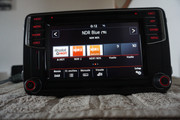
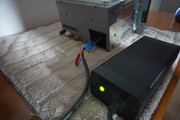
The first attempt to power the radio with 12 v 5 A power supply failed but after converting a xbox 360 power supply It provided more than 10 A which were enought to use the radio. Radio works nice! Only voice commands are not activated so I will have to ask for their activation over CP removal.
(first 2 pictures taken from web)
Finally I'm impressed by this radio even If I had only a fast look.
Can't wait to test It on car.
Hmm...
I made a Wiring-adapter to connect to the new T10 connector (original wires) in case I want to return to the previous state (CCS on the Stalk) ... easily.
This wiring is currently connected to T41, but is not connected on the other end ... because on the other end (original wires, new T10 connector) I have the CCS Emulator connected.
I have two sets of parts:
1- MFSW with CCS buttons, Stalks without CCS switches. (+ CCS Emulator)
2- MFSW without CCS buttons, Stalks with CCS switches. (+ Wiring-adapter)
I also have two slip rings, two airbags, etc...
Franciswat wrote: Tue Jun 02, 2020 11:53 pm
Hello guys, when you installed CC emulator did you keep stalk wiring to use both MFSW buttons and stalk buttons?
Thanks
I changed the stalk as well. The stalk must be set to CC OFF in order to control the cruise on/off via MFSW.
This is too complicated (always assume an idiot will drive your car at some point in time) and can even become hazardous.
Thank you very much for your answers guys they are really helpful!
Then since I will have both CC and on board computer buttoms on MFSW can I replace my current stalk with a more "basic" one whithout extra buttons? In this way I will avoid to have double commands which may be confusing.